

A more reliable way to measure what actually happens
To address this, we built a marketing module at Lombiq for Orchard Core that makes analytics more resilient without adding complexity.
Orchard Core is an open-source .NET-based platform for building and running websites and digital applications with full control and flexibility. It allows teams to shape how their systems behave, integrate with other tools, and evolve over time without being constrained by rigid platforms.
The marketing module works with short URLs, UTM parameters and analytics in a way that helps preserve attribution even when parameters are removed or tracking is limited. This results in a more complete picture of user journeys. In practice, this means fewer blind spots in your analytics and more confidence in your marketing data.
Clean links with accurate attribution
Marketing teams also face a practical challenge. Long, parameter-heavy URLs are difficult to use in newsletters, social media, and campaigns where presentation matters.
The built-in URL shortener solves this while doing more than just improving appearance. It keeps links clean and user-friendly. It allows you to define UTM parameters for your campaigns. It redirects users to a clean destination URL without exposing those parameters.
Privacy-conscious analytics without losing insight
We built this on top of Pirsch Analytics, a lightweight and privacy-friendly analytics platform.
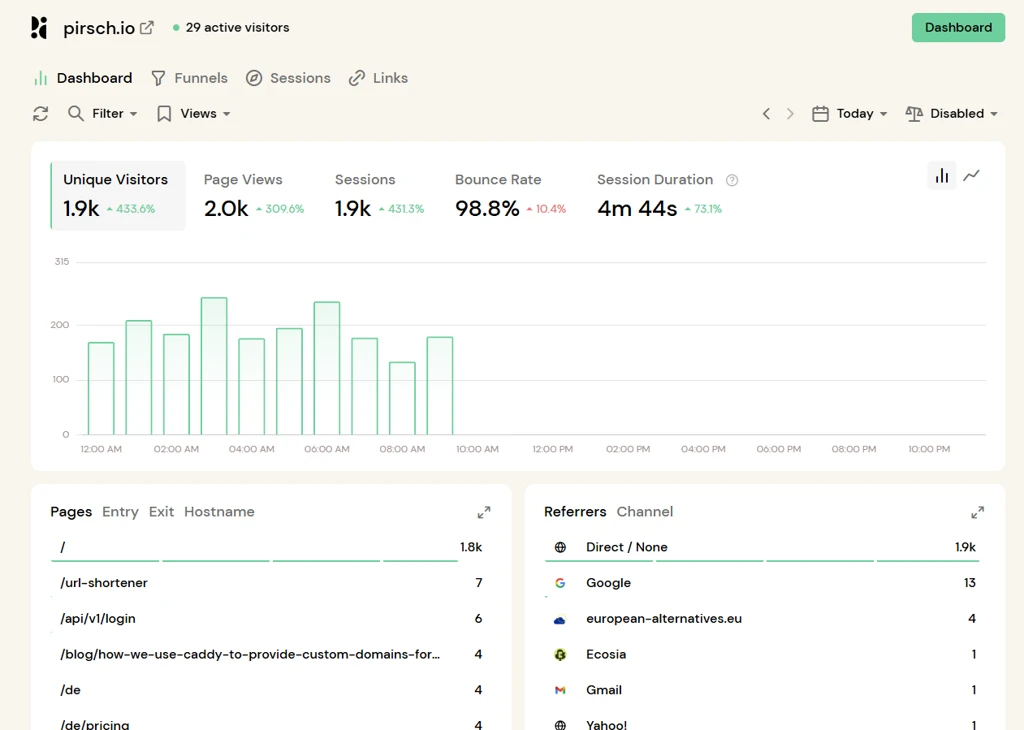
Our approach with Pirsch Analytics avoids cookie tracking setups, reduces the chance of being blocked compared to traditional tools, and simplifies compliance for teams operating in regulated environments.
Combined with our module, this gives you a setup that is more reliable than standard analytics and easier to operate for your team.
Getting started in minutes
Setting up the module is straightforward and follows the standard Orchard Core workflow.
At a high level, the process looks like this:
- Enable the Pirsch Analytics feature from the Orchard admin
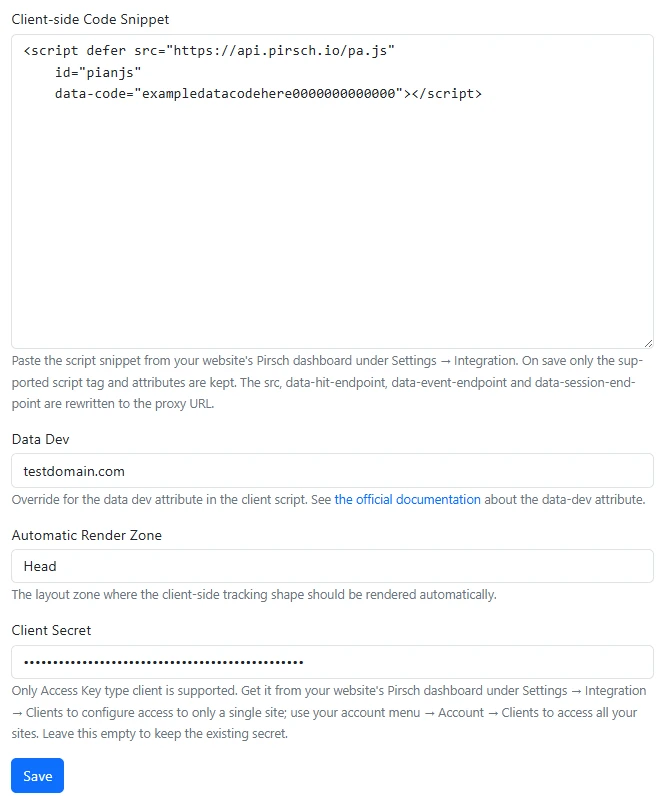
- Paste your Pirsch tracking snippet into the Pirsch Marketing settings
- Set the Automatic Rendering Zone input field, so the tracking script is rendered in every page in that specific Orchard Core Zone.
- Add a client secret to enable server-side tracking for short URLs
Once this is in place, your analytics starts collecting data immediately.
Creating trackable short links
With analytics configured, you can start creating short URLs for campaigns.
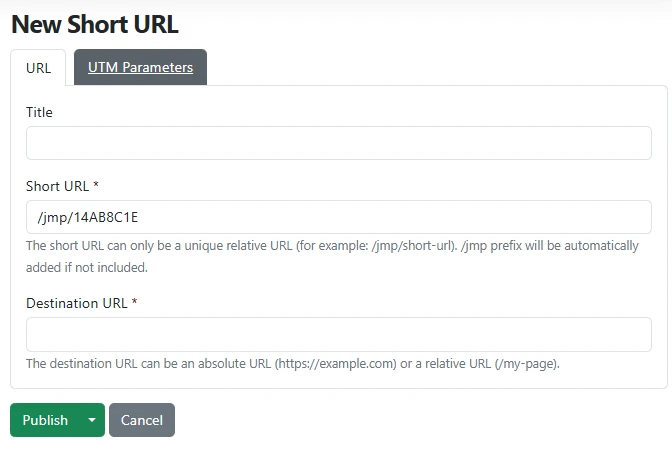
- Define a short, clean URL for your campaign
- Set the destination page
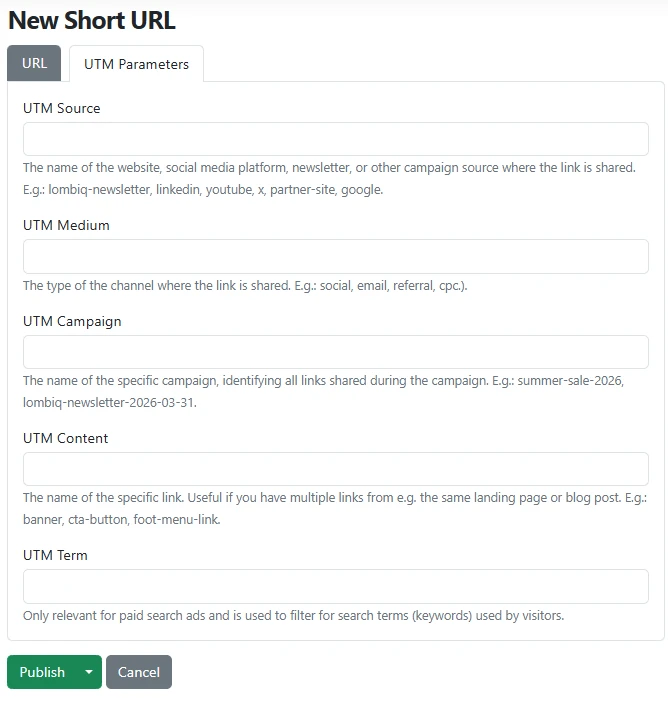
- Add UTM parameters for attribution
When a user opens the short link, the analytics is triggered with UTM parameters, and the user is redirected to the destination URL without visible UTM parameters.
Built for real marketing workflows
This module is designed for teams who need reliable insights without adding operational overhead.
It is especially useful when:
- You run campaigns across multiple channels and need consistent attribution
- You rely on analytics for budget or performance decisions
- You want clean, user-friendly links without sacrificing tracking
- You operate in environments where privacy and compliance matter
Interested in using this or have questions? Dive into the full documentation to explore implementation details, configuration options, and advanced scenarios. Or use it right away on a free site you can create with a few clicks on our Orchard Core SaaS DotNest.
If you are considering using this module or want to understand how it would fit into your current setup, we are happy to help. Whether it is about implementation, analytics strategy, or adapting it to your marketing workflows, feel free to reach out and discuss your scenario with us.


